Daily Leads & Calling Desk
Daily form submissions, telecaller calling, 1-click WhatsApp chats, call notes, and demo scheduling are handled in the separate Calling Panel.
Total Leads
Today's Leads
Enrolled
WhatsApp Clicks
Quick Management Shortcuts
System Status
Universal CMS Active: All changes made in this panel are saved directly into browser storage and instantly take effect across all pages of the Complete Java Classes website. To make changes permanent across new computers, use the Backup & Reset tab to download a JSON snapshot.
Helpline, Contact Numbers & WhatsApp
Pune Campuses & Addresses
Homepage Trust Counters & Footer
Top Announcement Bar
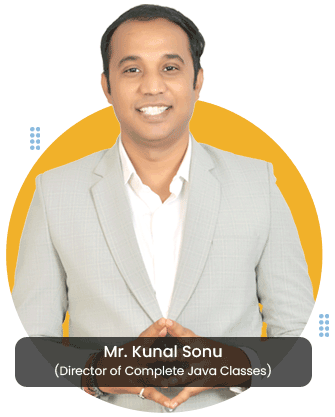
Founder & Chief Mentor (Mr. Kunal Sonu)
Course Page Content Editor
Upcoming Batch Schedule
batches.html and the homepage schedule cards.Student Placement Cards & Marquee
YouTube Success Story Testimonials
uyaTFw3Vh8I from youtube.com/watch?v=uyaTFw3Vh8I).Frequently Asked Questions (FAQs) Manager
Brand Logos & Core Images



Replace ANY Image Anywhere On Website
To replace any image, banner, or icon on the website, specify the image's existing file name or path (e.g. kunalsonu_aboutus.png or companies/persistent.svg) and select or upload the replacement image.
Total Leads
New
Follow-up
Enrolled
Dedicated Calling & Telecaller Panel
All daily student inquiries, 1-click calling, WhatsApp chats, counselor call logs, and follow-ups are managed in the dedicated Calling Desk Portal.
Student Leads & Form Enquiries (Admin Overview)
| Date | Student Name | Contact Details | Course / Campus | Source / UTM | Status | Actions |
|---|
Total Clicks
Demo Clicks
Phone Calls
Button & CTA Click Breakdown
Click a time filter above to display CTA analytics.
Export Full Website Backup
Download a complete JSON snapshot containing all website text, phone numbers, courses, batches, FAQs, placements, leads, and analytics.
Restore Backup
Restore from a previously exported JSON backup file.
Reset to Factory Defaults
Wipes all custom changes from browser storage and restores original website defaults.